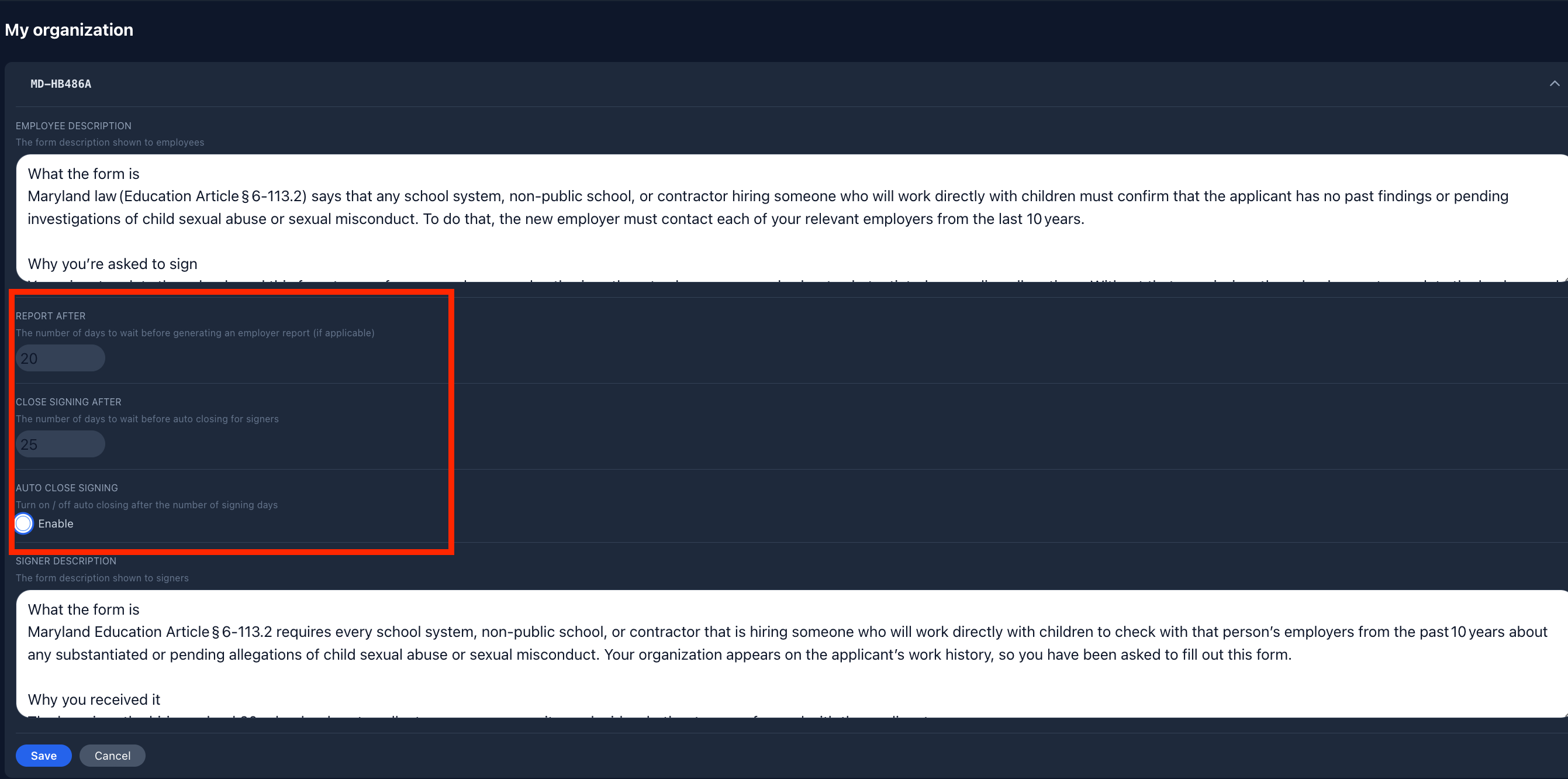
For many forms like MD486 or WA-1588 you may want to close a form after a set period, regardless of whether you recieve a response.
To help automate this in Robinform, you can specify when you would like a form to be marked as “no response”. This keeps record keeping straightforward, without forms lingering in an incomplete state indefinitely.
How to set up in Robinform
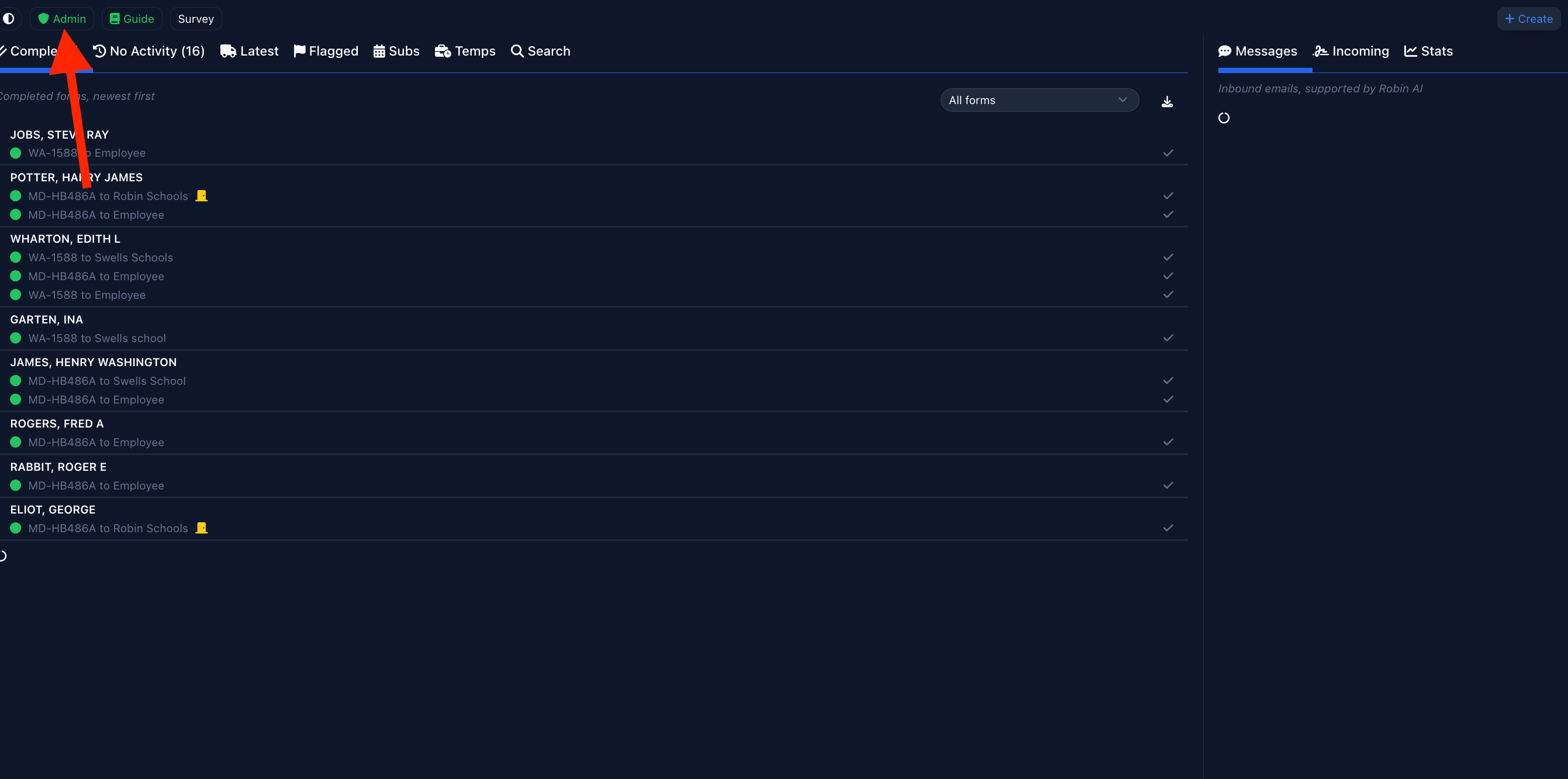
First, navigate to the “admin” tab on the upper left hand corner of your dashboard:
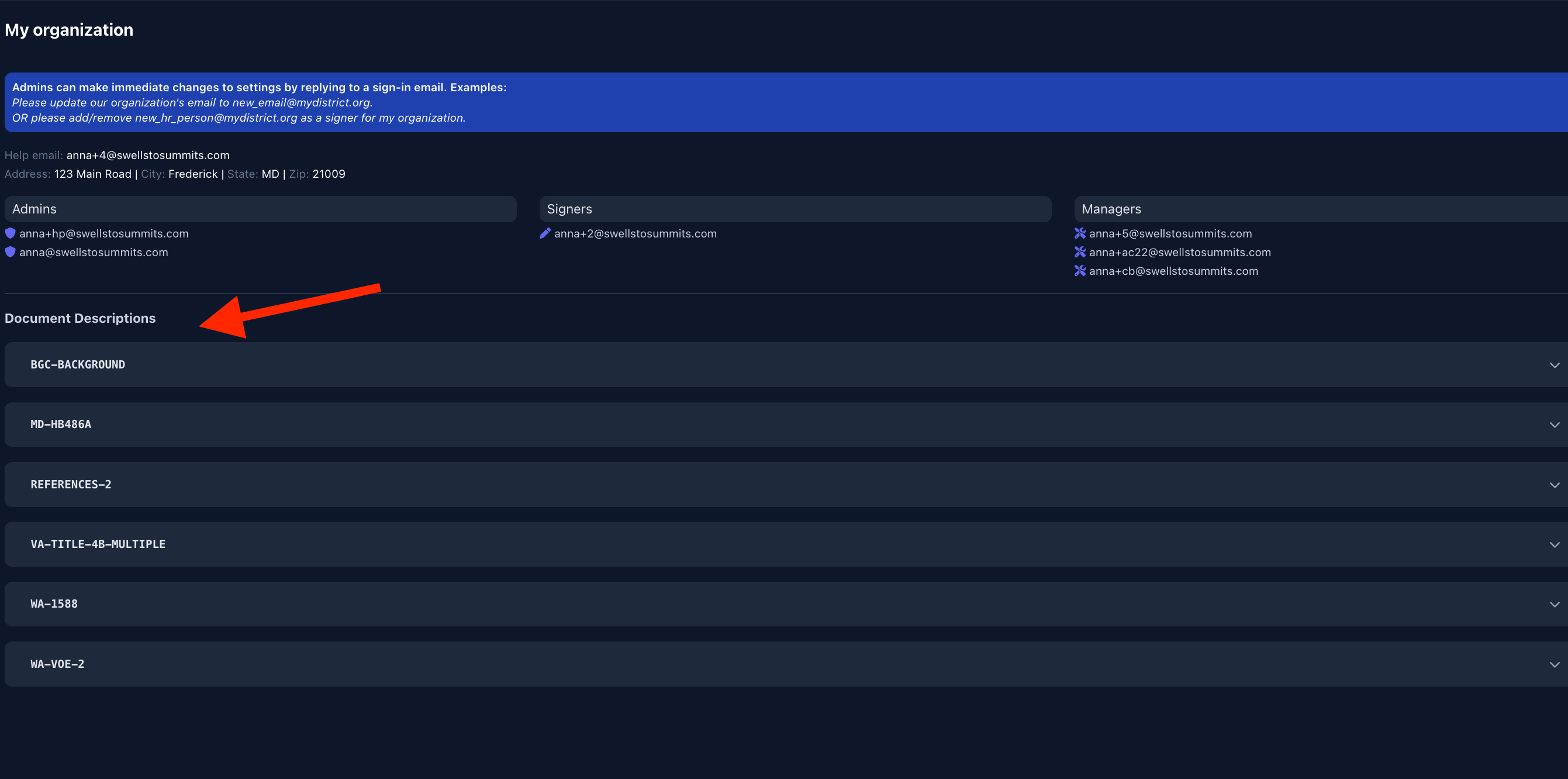
Next, select the form you would like to edit the settings for:
Once you have selected the form, you will see the option to “close signing after X days” (see the highlighted box below). Specify the number of days and click “enable”. This is now live.
Note: for some forms like MD-HB486, there is an automated employer report created. You can also specify the number of days to wait before generating this report. The default is set to 20 days, which is the required length of time to provide past employers to respond.