

There are times when you may want to print a physical copy of the form and mail it to the intended recipient. From the Robinform dashboard you can:
Generate a cover letter to print
Download the letter and the form
Make a note on the log to show the action took place
Here’s how.
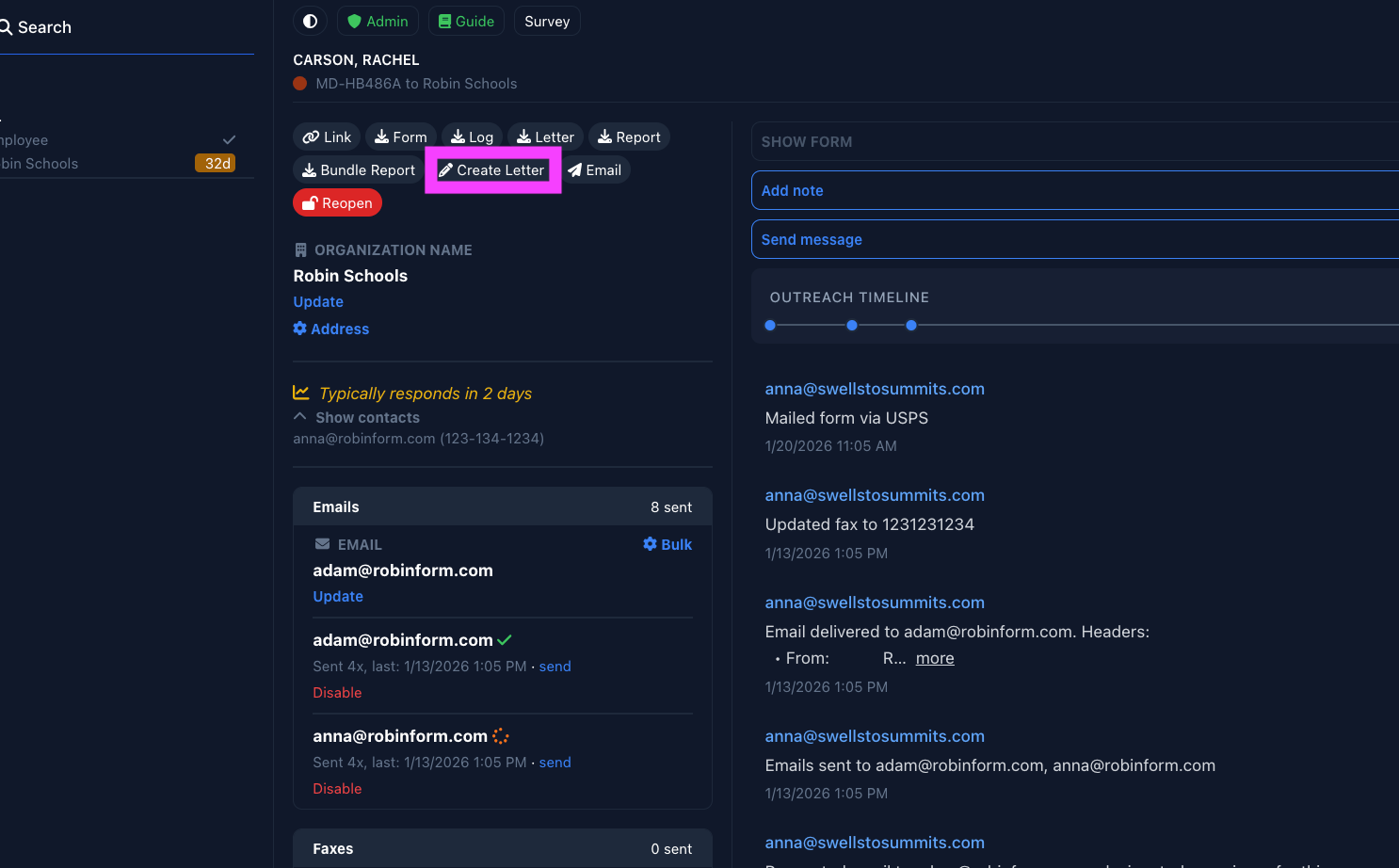
Step one: select “create letter”
Step two: select “download letter”
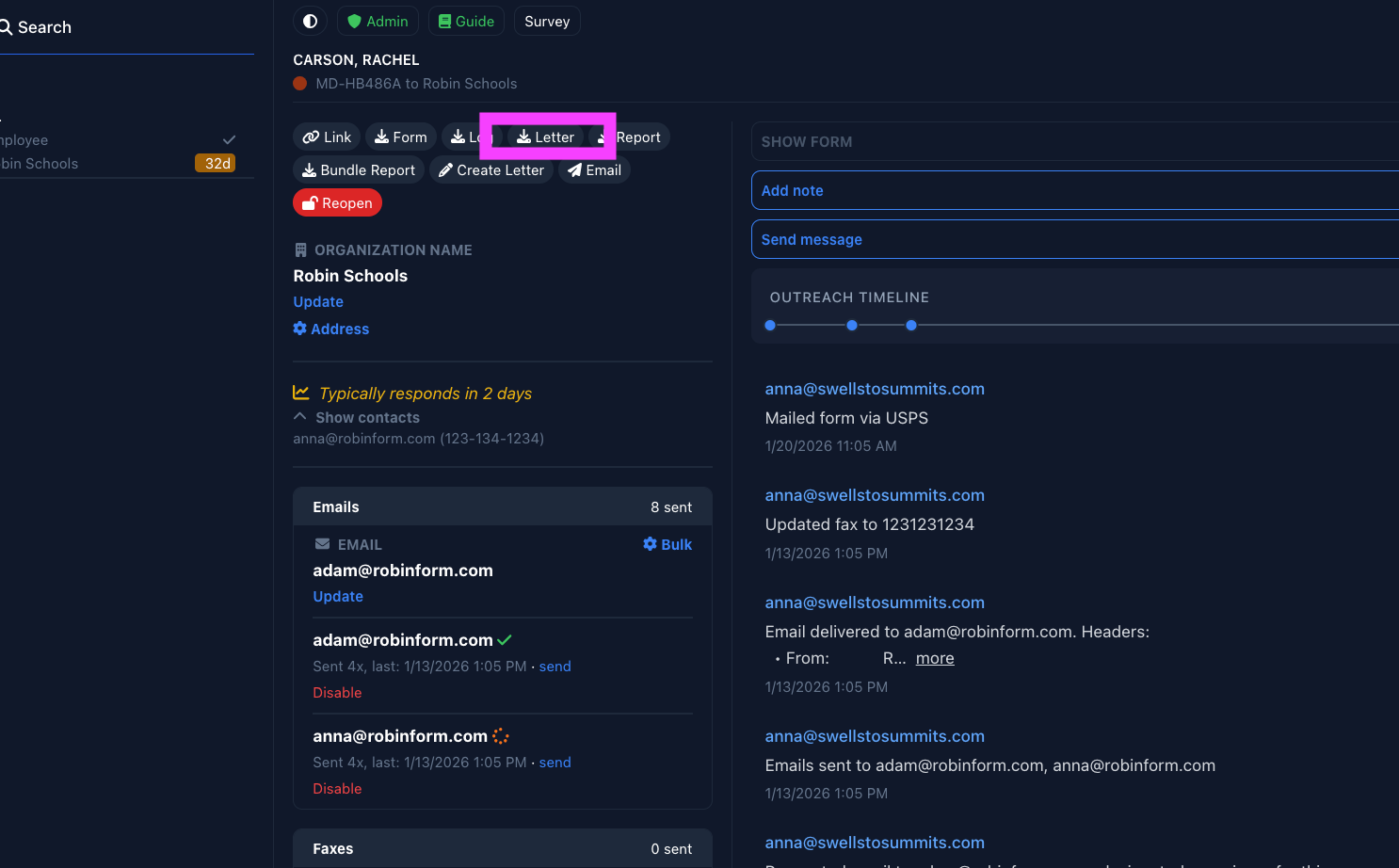
Note: You will also want to download the form at this time (select the “form” button to the left of “letter” shown above).
Navigate to your “downloads” folder to print the letter and form.
Why are there two steps to download the letter?
If you create the letter one day and then choose to download later, the timestamp on the back-end will be updated to the day it was downloaded. This ensures accuracy for future reference and logs.
However - if you make a manual note on the logs indicating you mailed a form, we will not update the time stamp. It will remain consistent with the date on the log.
For Maryland Schools
This will show up on the logs generated to send to MSDE, if an employer report is required after the 20 day response period.